The cPanel migration method is the fastest and simplest way to move a site with Transferito. The Transferito WordPress migration plugin uses your cPanel details to automate the whole migration for you, with no FTP or database details needed.
To use it, you need two details from your Bluehost account: your cPanel username and a cPanel API token. This guide shows you where to find both, and how to add them to Transferito.
In this guide
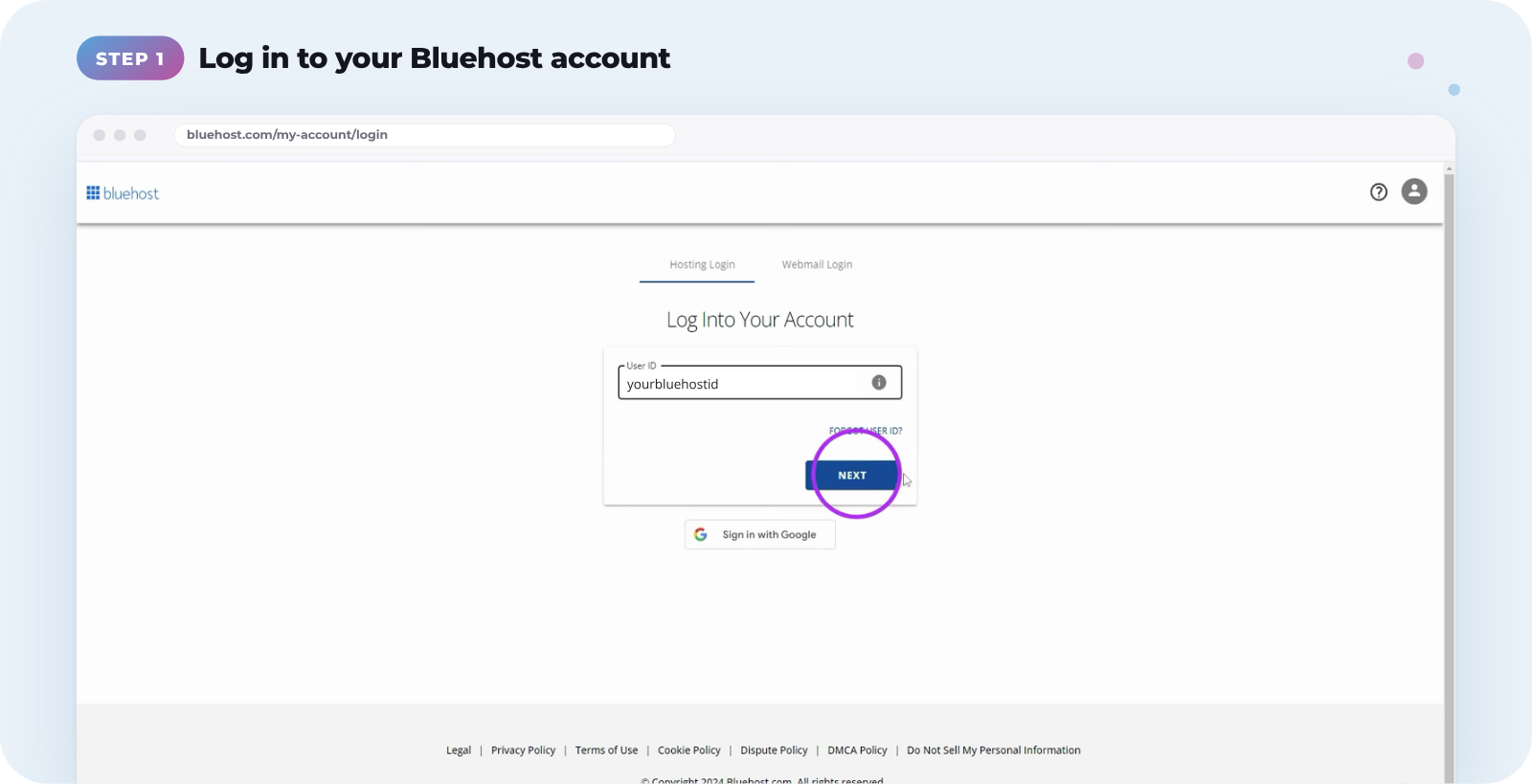
Log in to your Bluehost account
Go to the Bluehost login page and sign in to your account.
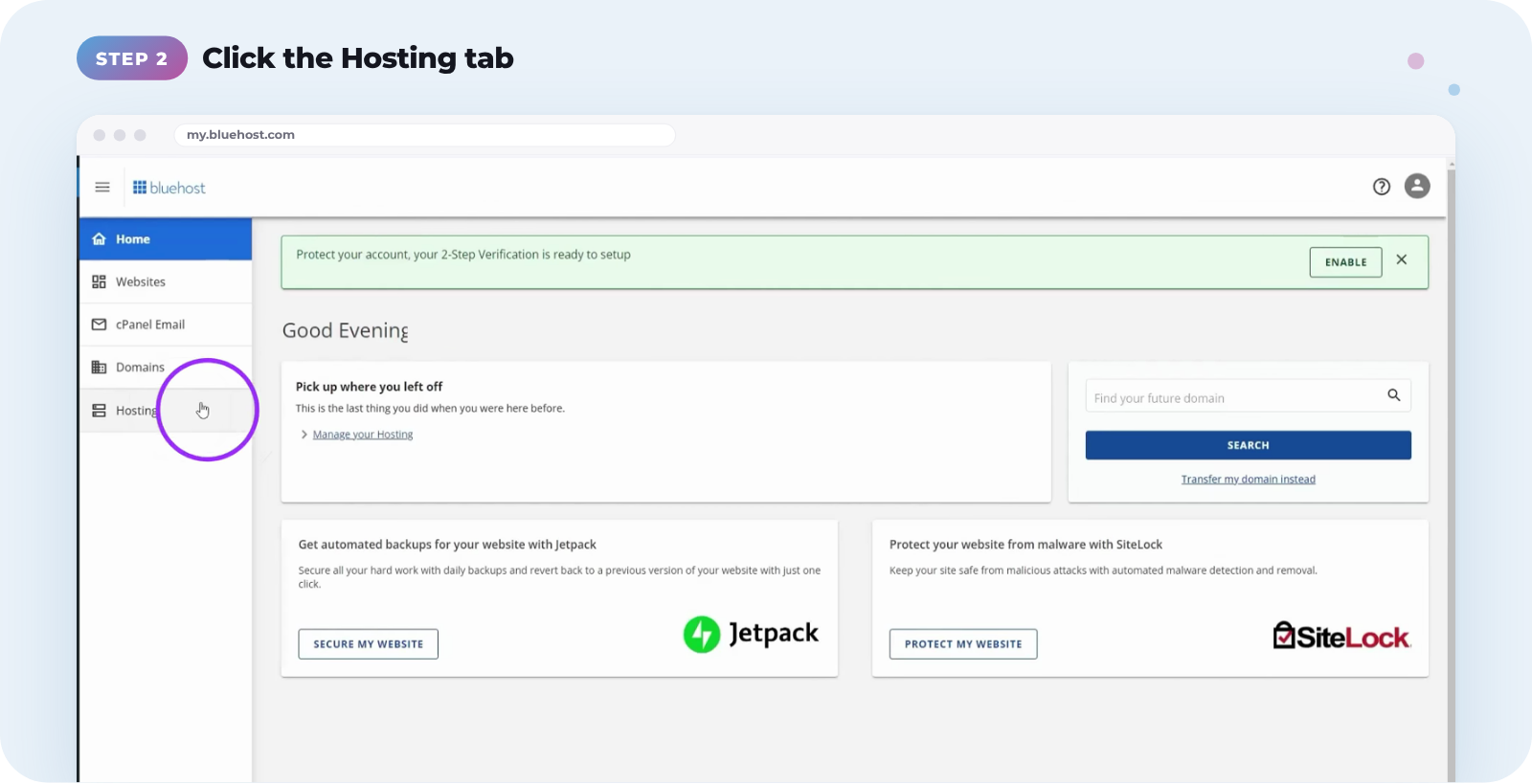
Find your cPanel username
Click the Hosting tab in the left-hand menu.
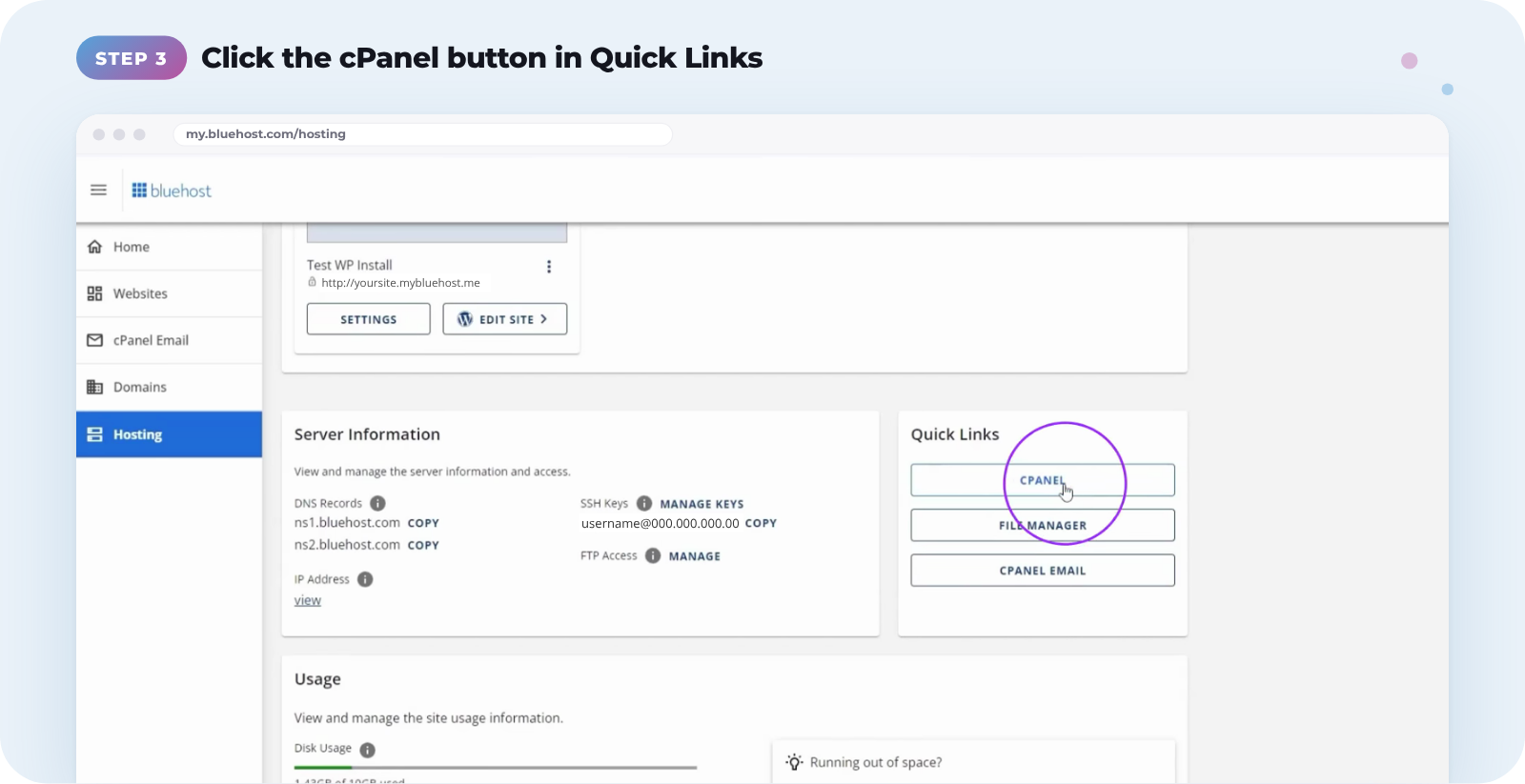
In the Quick Links section, click the cPanel button.
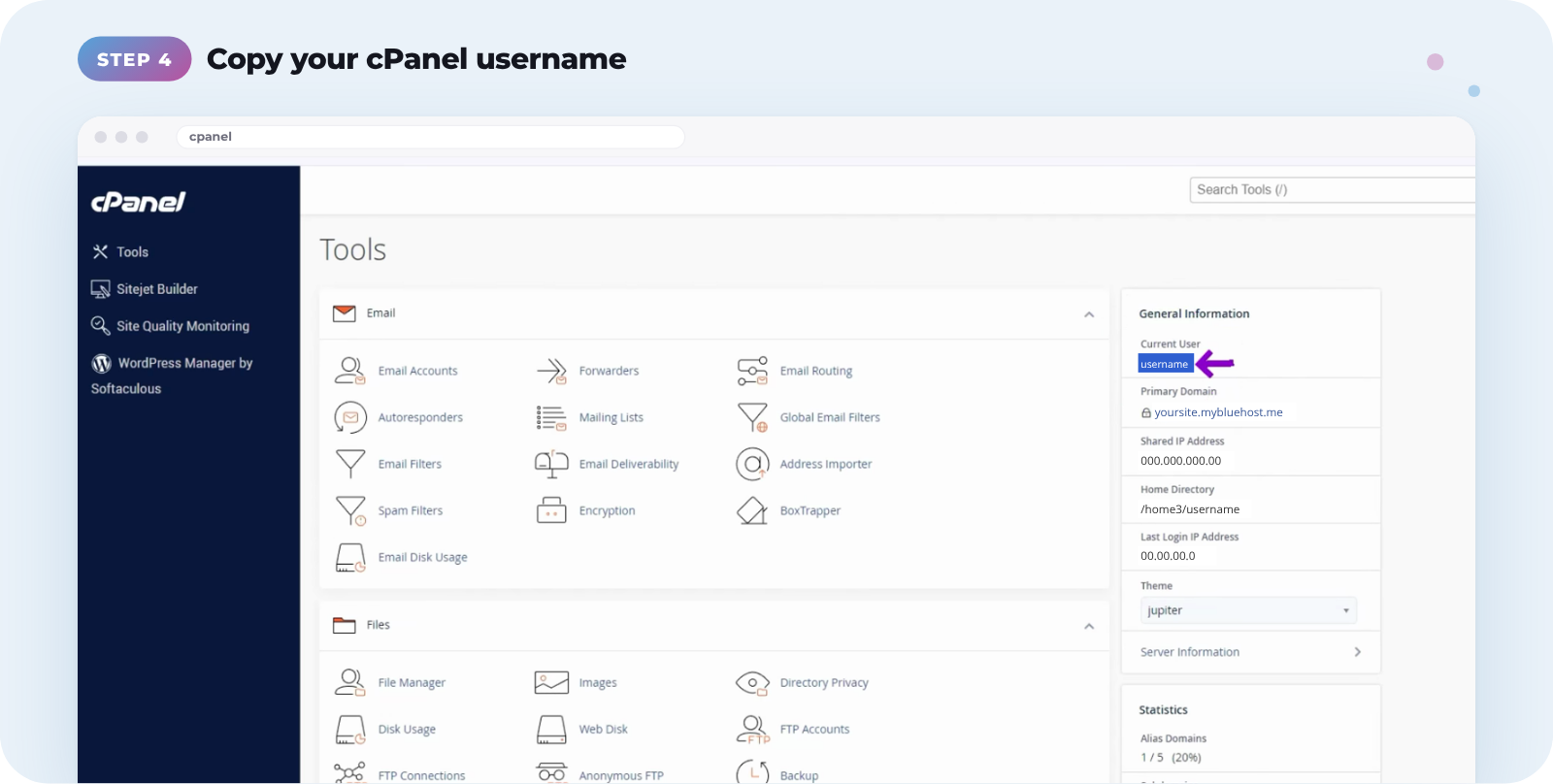
Find your username in the General Information column. Copy it into a text file, or write it down.
Create your cPanel API token
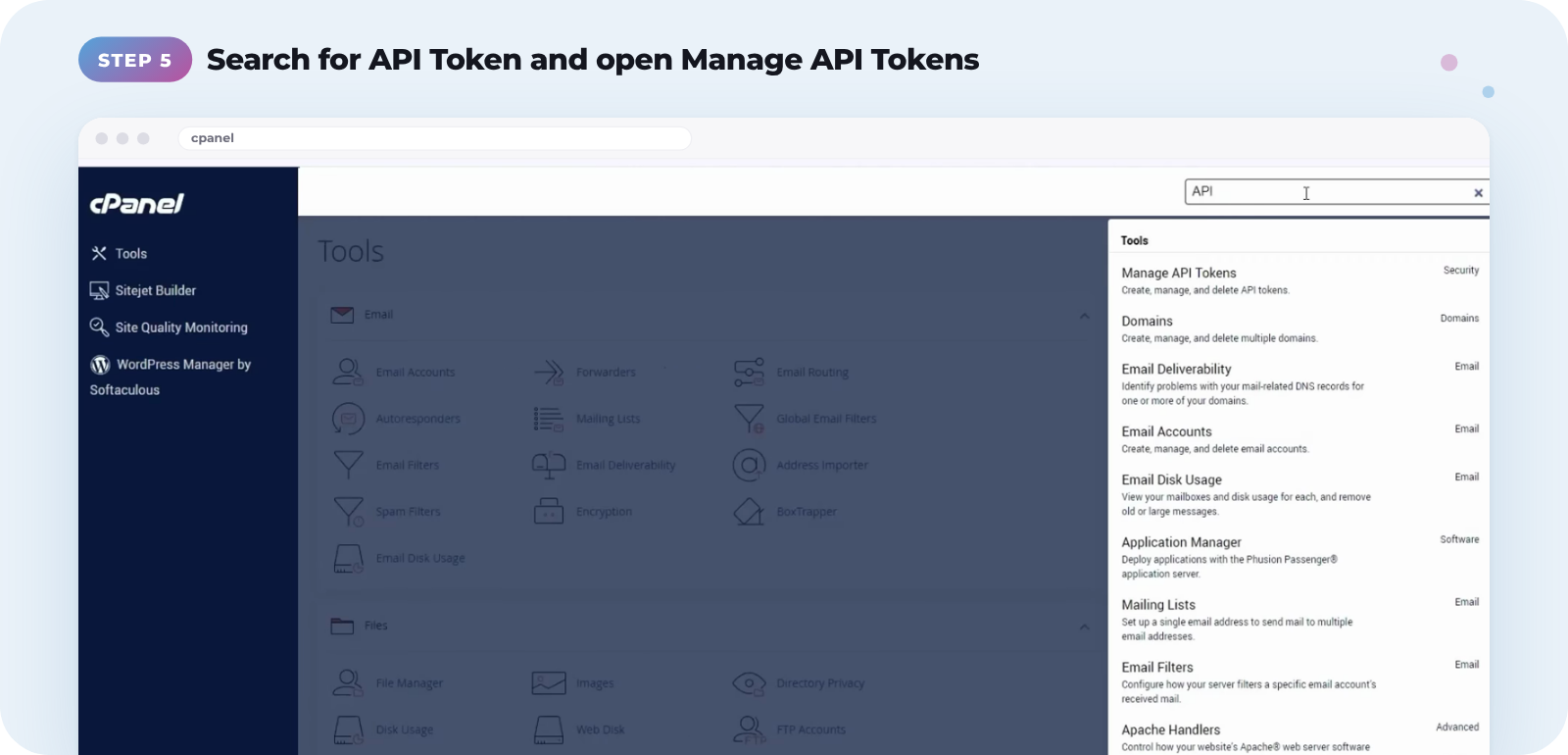
On the same page, type API Token into the search bar and choose Manage API Tokens from the dropdown.
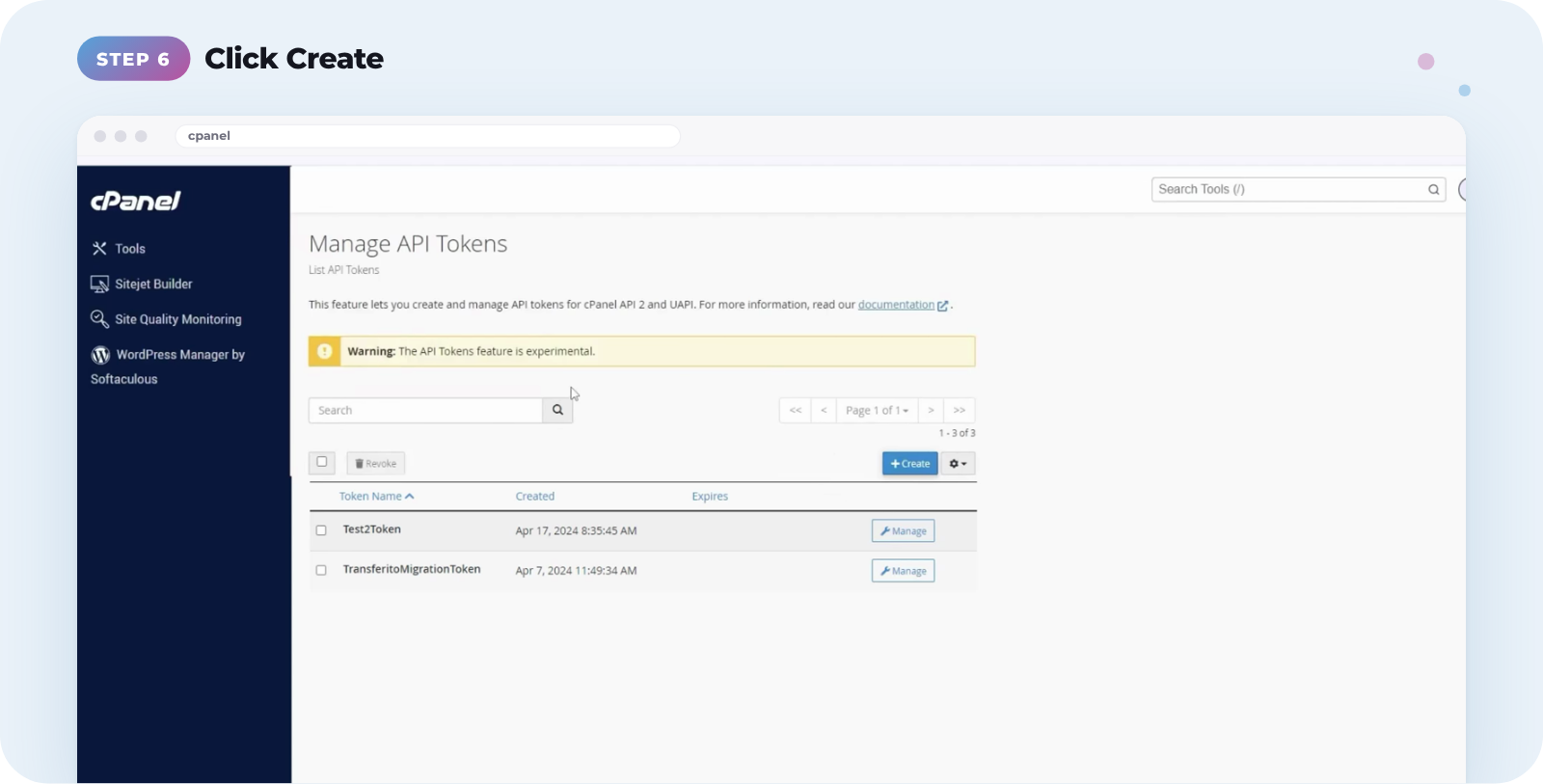
When the page loads, click Create.
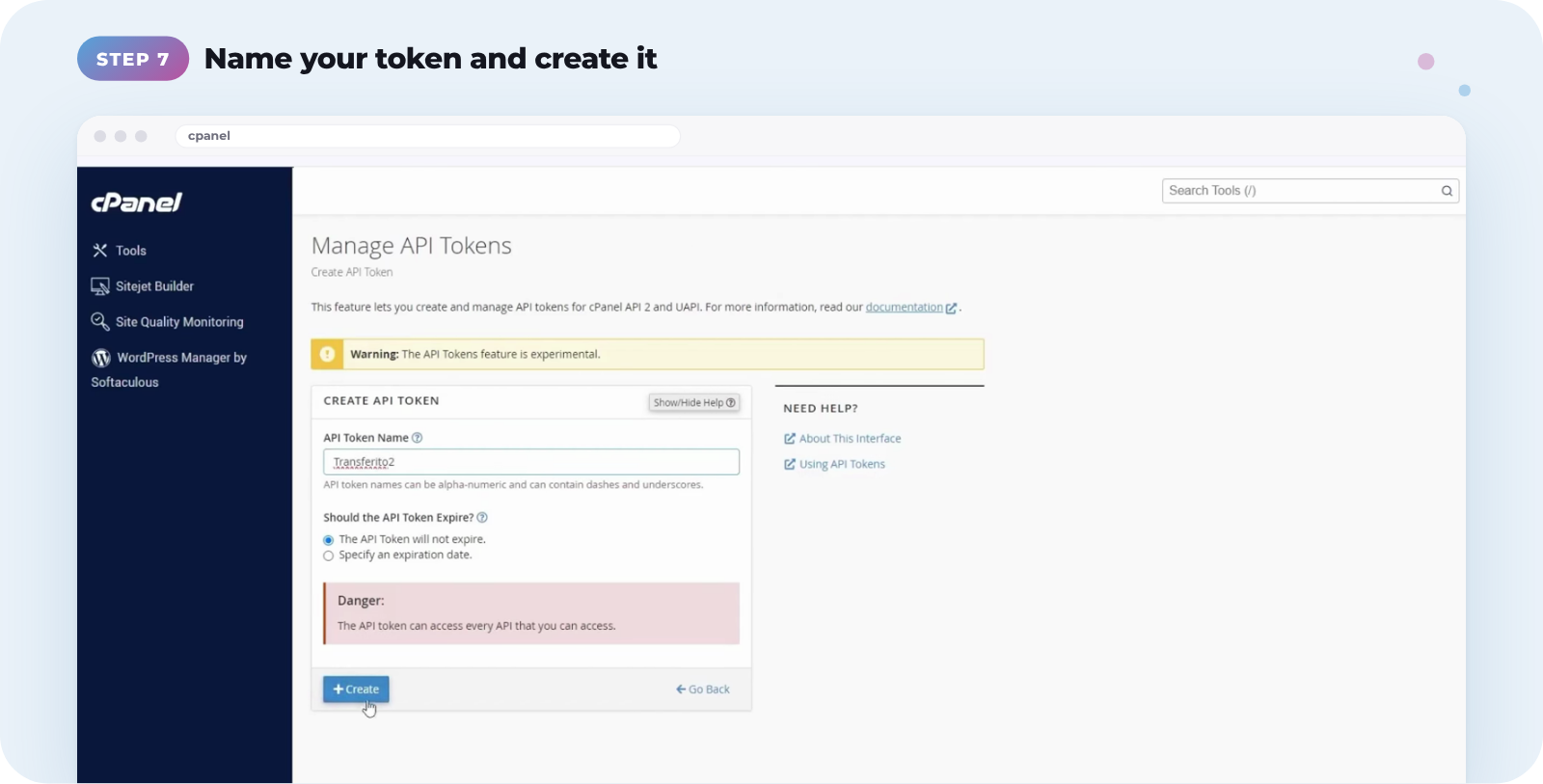
Give your token a name you’ll recognise, such as Transferito, then click the create button.
Click the copy button below your new token and save it in a text file, or write it down. Then click Yes, I Saved My Token.
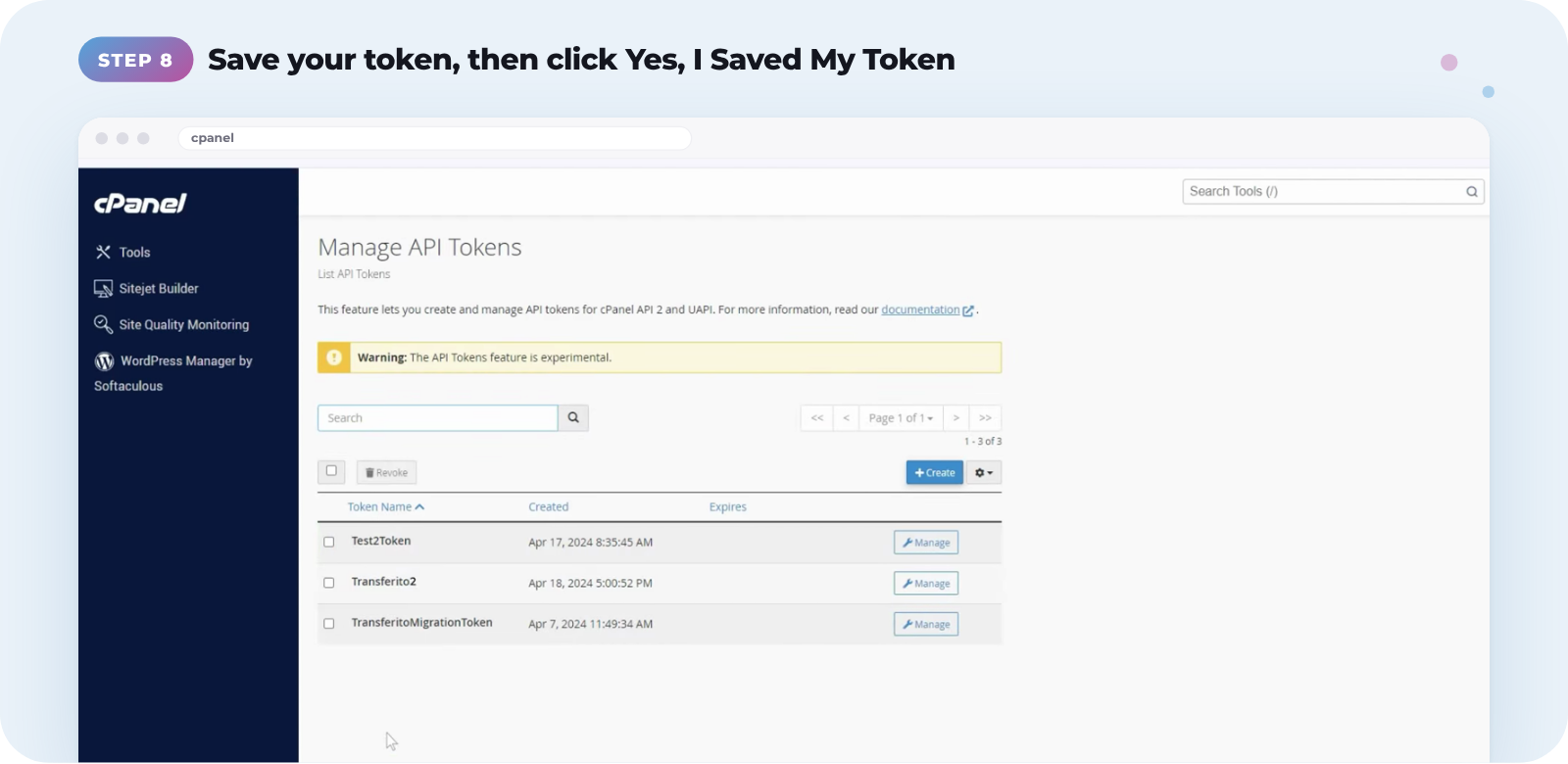
Copy your token before you continue. Bluehost only shows the API token once. After you click Yes, I Saved My Token, you can’t view it again, and you’ll need to create a new one.
Use your cPanel details in Transferito
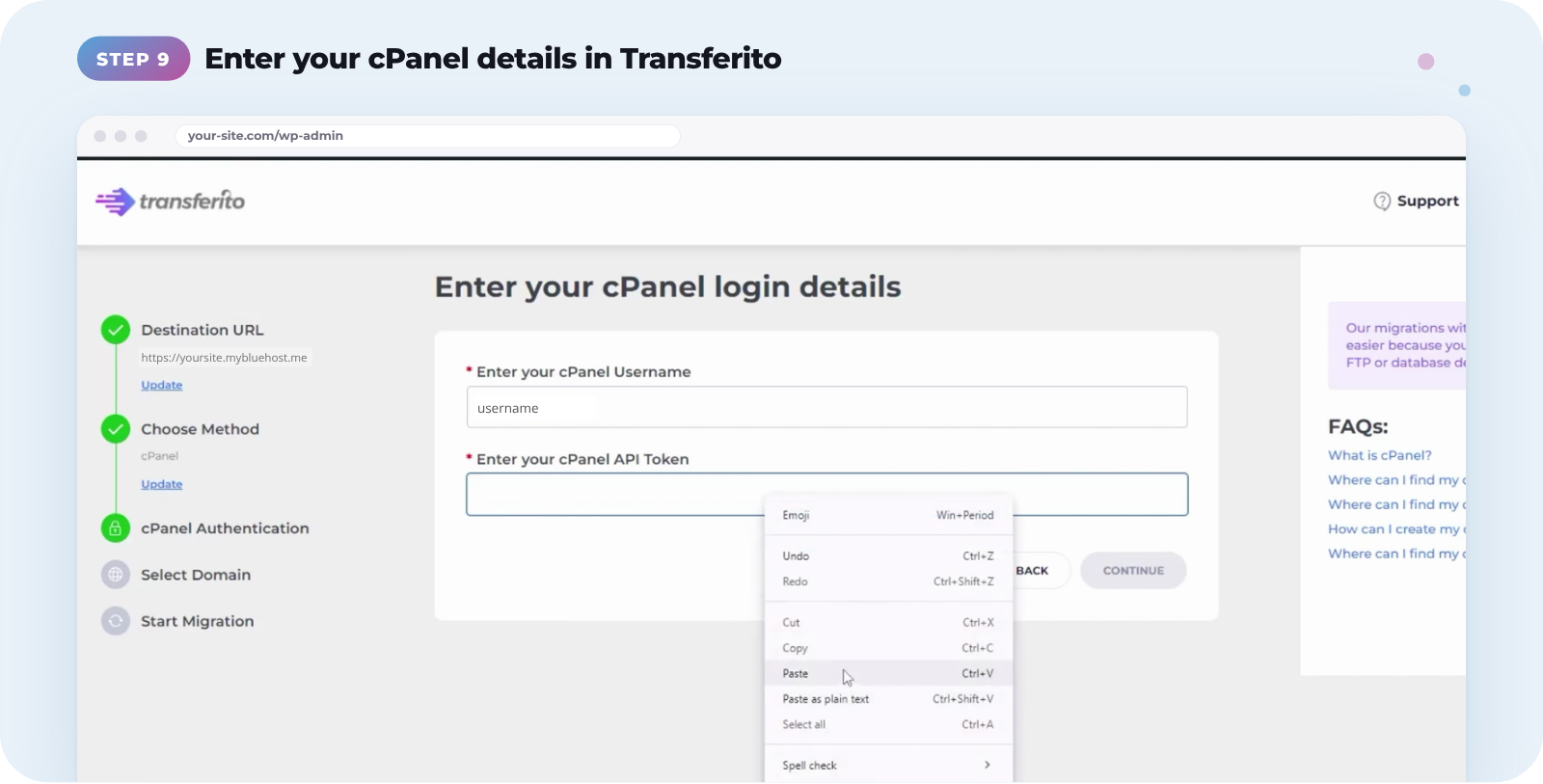
Go back to the Transferito plugin and choose the cPanel migration method. Enter the username and API token you saved, then click Continue.
Next: Transferito may ask you to choose which cPanel domain to migrate to. See Selecting your cPanel domain.
Watch the full video
Prefer to follow along? This video walks through every step of finding your cPanel details on Bluehost.