To migrate a site, Transferito normally creates a full backup of it on your server first. That needs free disk space, roughly as much as your site itself. On some hosting plans, there just isn’t enough room.
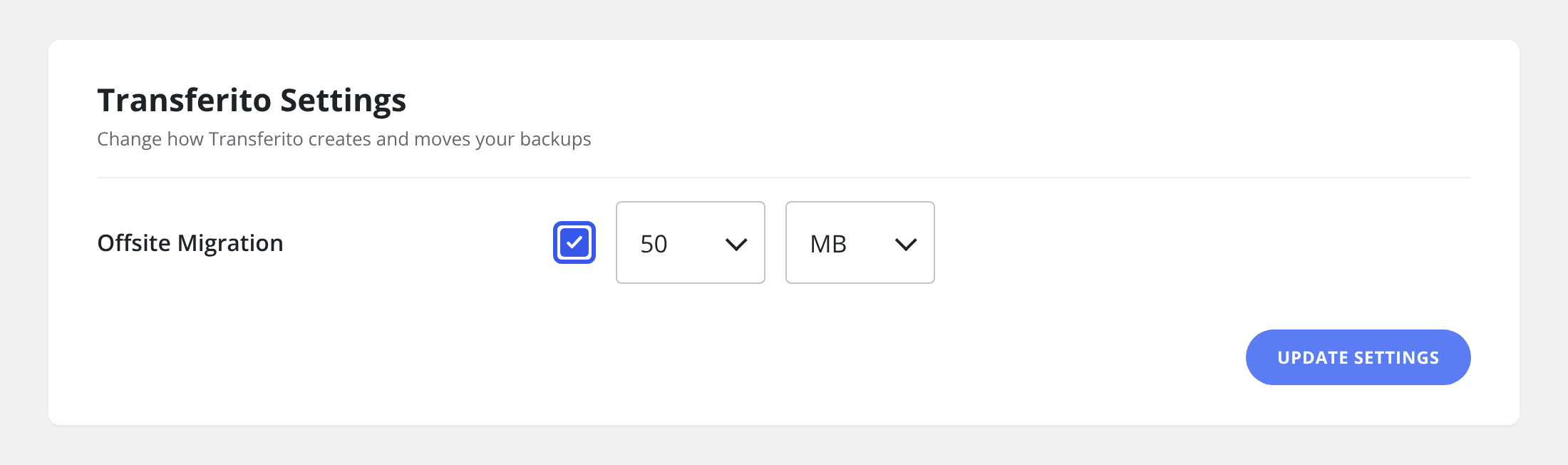
Offsite Migration solves this. You set a maximum backup size, as little as 1 MB, and Transferito works within it, so the whole backup never has to be stored on your server at once. That means you can move a site even when your server is nearly full.
When to use it
GOOD FIT
Low disk space
Your hosting plan is close to its storage limit, or the backup fails because the disk is full.
GOOD FIT
Large sites on small plans
Your site is big compared with the free space your host gives you.
Choosing a size: pick the largest size your server has room for. A smaller maximum uses less disk space, but the migration can take longer.
Turn on Offsite Migration
In your WordPress dashboard, open Transferito and go to Settings.
Tick Offsite Migration.
Use the two dropdowns next to it to set the maximum backup size: choose a number, then choose the unit, for example 50 MB.
Click Update Settings at the bottom of the page to save it.
Tip: not sure how much space you have? Check the disk usage in your hosting control panel before choosing a size.